Microsoft Teams Integration
Connect Community Questions with Microsoft Teams to receive notifications in your channels when Q&A activity occurs.
Create a Webhook in Microsoft Teams
First, create a webhook workflow in your Teams channel:
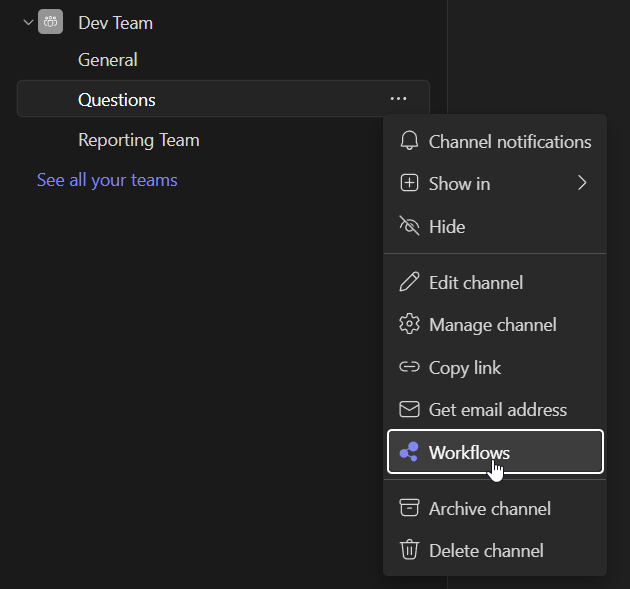
1. Open Microsoft Teams and navigate to the channel. Click the three dots (...) next to the channel name and select Workflows.
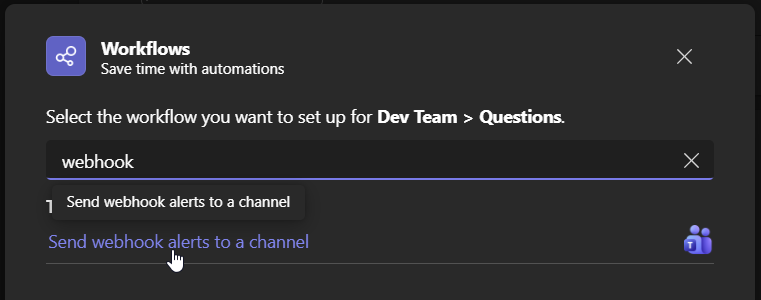
2. In the Workflows dialog, search for webhook and select Send webhook alerts to a channel.
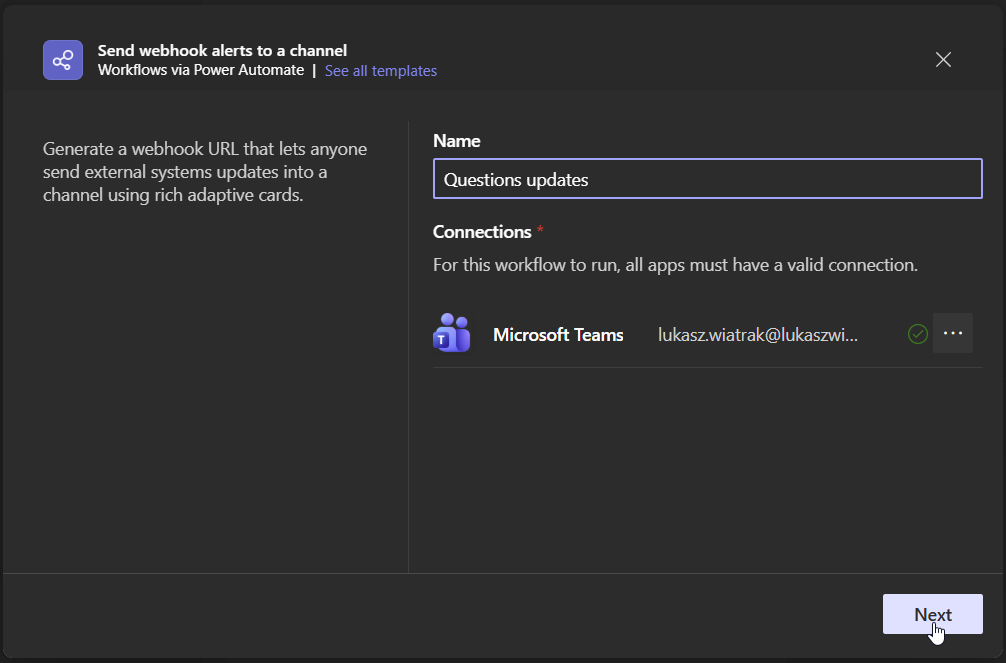
3. Enter a Name for the workflow (e.g., "Questions updates") and verify your Microsoft Teams connection is valid. Click Next.
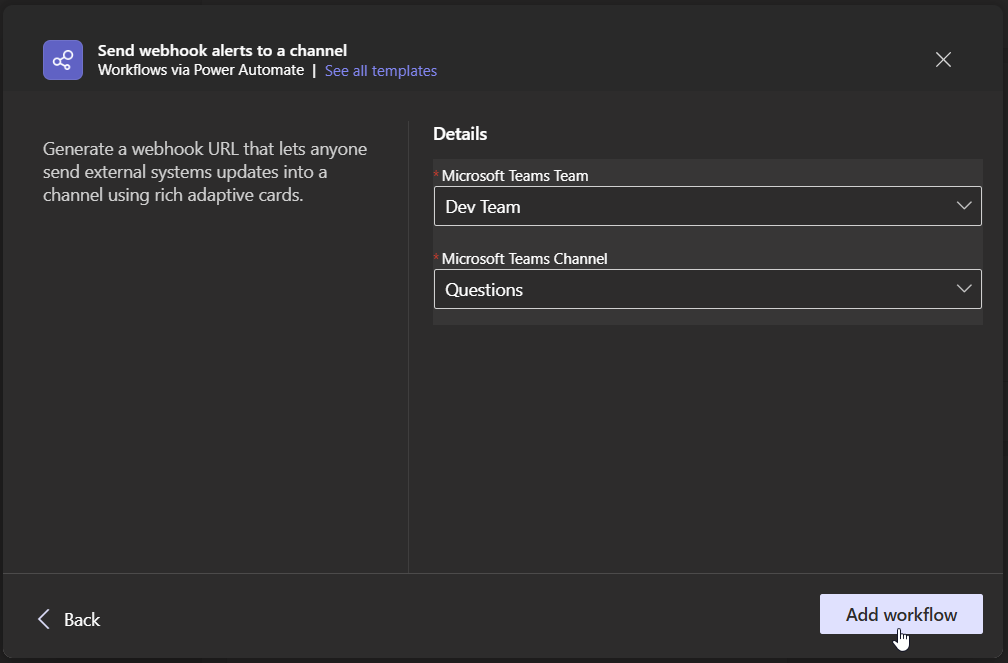
4. Select the Microsoft Teams Team and Channel where notifications should be sent. Click Add workflow.
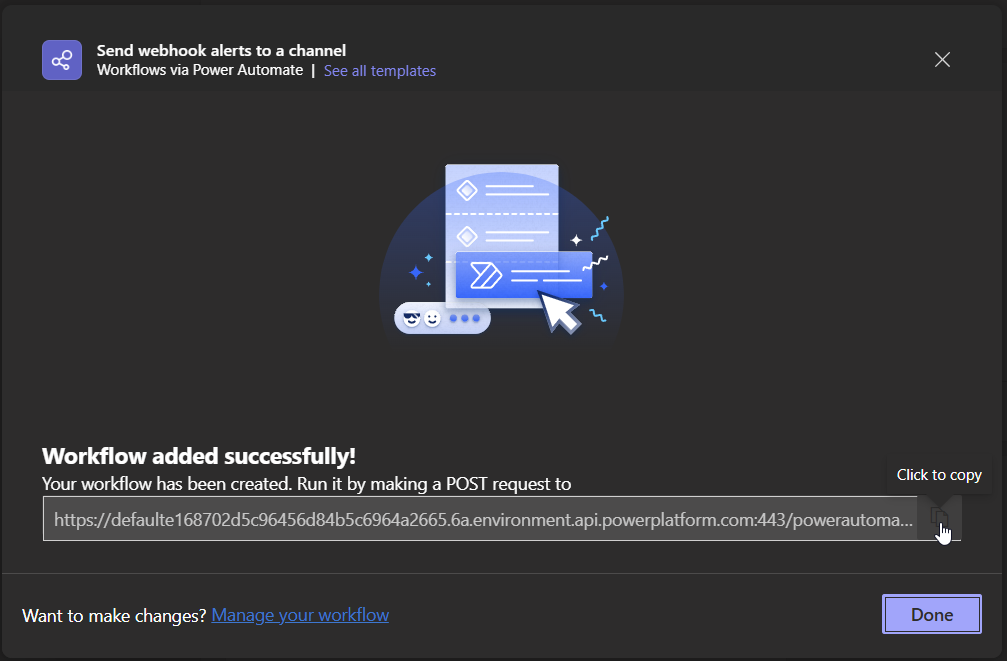
5. The workflow is created. Click the webhook URL to copy it.
Connect to Confluence
- Go to Space Settings → Content → Questions
- Under Connected Apps, click Connect Microsoft Teams
- Fill in the connection dialog:
- Connection name - A name to identify this connection
- Paste webhook URL here - The URL you copied from Teams
- Tags - Optionally filter notifications by tag
- Send notifications when: New question asked, New answer posted, New comment created
- Click Connect
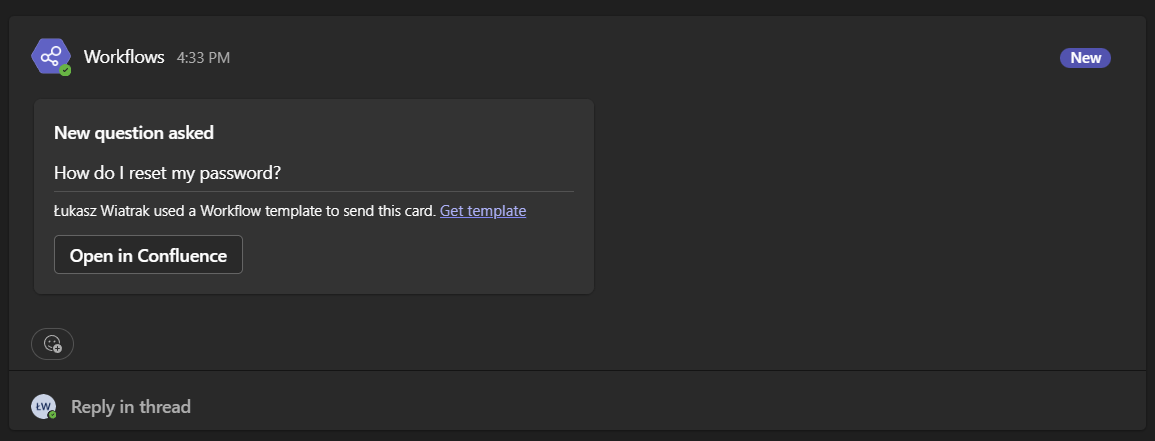
Once connected, notifications will appear in your Teams channel:
Managing Connections
Connected integrations appear in the Connected Apps table. Click the menu icon (...) on any connection to edit or disconnect it.
Tip: You can create multiple Teams connections per space to send different tag-filtered notifications to different channels.