Permissions
Community Questions uses Confluence's space permissions. You can choose who can view, create and delete content in each space.
Before You Start
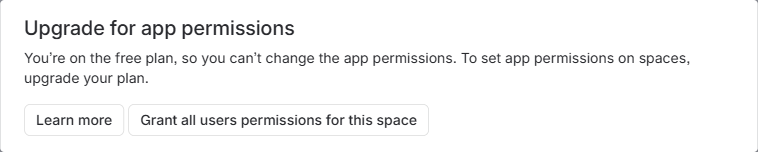
You must be a space administrator to change these settings. Confluence Free does not allow changes to space permissions.
Settings apply to one space at a time. If you use Global Questions, configure its space too.
Who Gets Access
You can give permissions to individual people, groups, or All Confluence users. The administrator user class, shown as All Confluence admins or All product admins, applies only to product administrators.
Permissions add together. For example, clearing Add for one person does not stop them creating content if their group or All Confluence users still has Add. Check every group and user class that applies to that person.
Change Permissions
- Open Space settings → Space access → Apps.
- Select Community Questions for Confluence. It may appear as questions-answers-for-confluence.
- Click Edit and find the person, group or user class you want to change.
- Select the permissions they need using the table below. Clear permissions they should not have, checking their other groups too.
- Save your changes and refresh Community Questions.
Change the rows for people and groups. The app account has separate requirements, listed below.
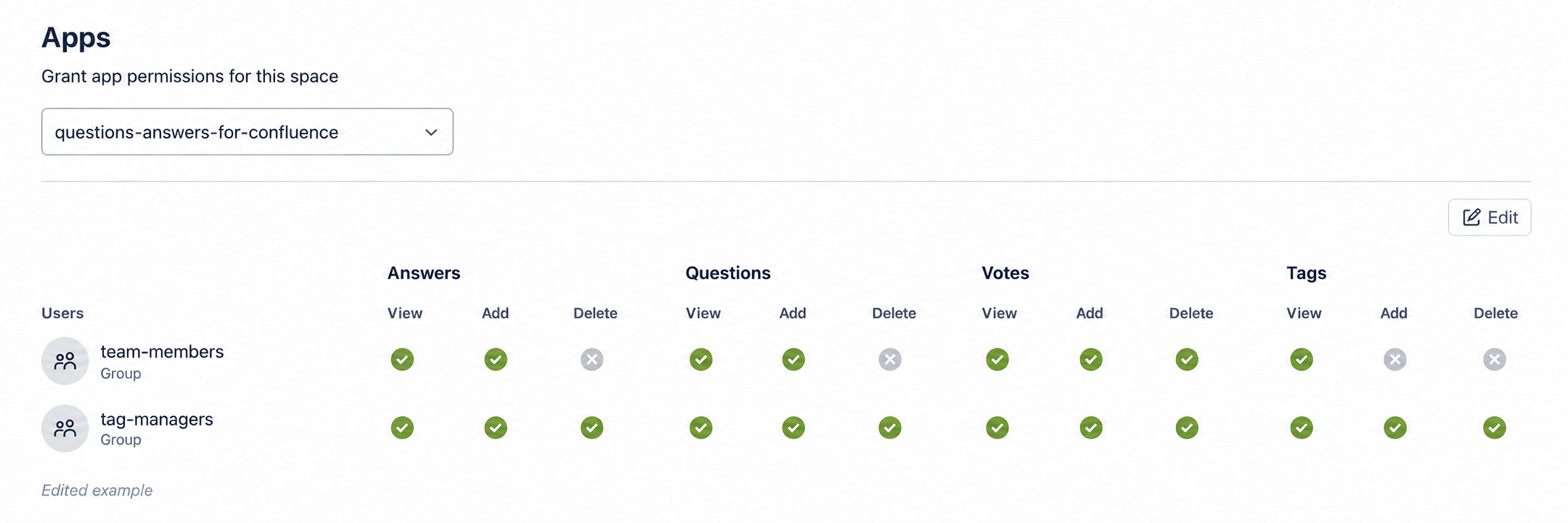
Edited example using sample groups. Under Tags, team-members has View only; tag-managers has View, Add and Delete. Open the image to see the full table.
What Each Permission Allows
| Content | View | Add | Delete |
|---|---|---|---|
| Questions | Read questions | Ask questions | Delete questions |
| Answers | Read answers | Post answers | Delete answers |
| Votes | See vote counts | Vote | Remove your own vote |
| Tags | See and select existing tags | Create new tags | Delete tags |
People also need access to the space and the content they are working with. For example, posting an answer requires access to its question.
- Voting: enable Votes View, Add and Delete so people can vote and remove their own votes.
- Existing tags only: keep Tags View enabled and turn off Tags Add. See Choose Who Can Create Tags. Tags Delete controls deleting a tag itself, not removing it from a question.
- Comments and attachments: these use Confluence's separate comment and attachment permissions.
Deleting Content
Delete Own, where available, allows people to delete content they created. Delete allows them to delete visible content of that type, including other people's content.
Space Admin lets someone manage the space and its permissions. It does not automatically give them every content Delete permission. Add/Delete Restrictions controls who can view or edit content; it does not allow deletion.
Deleting a question or answer also requires permission to delete its replies. If deletion fails, follow the deletion troubleshooting steps.
Permissions for the App Account
The Community Questions app account is separate from the people using the app. It needs:
- Questions: View and Add.
- Tags: View and Add.
- Space Admin or Add/Delete Restrictions, for managing content access.
It does not need Questions, Votes or Tags Delete. Giving permissions to the app account does not give those permissions to people. If someone cannot vote or create a tag, check that person's permissions instead.
Need Help?
See Fix Permission Issues for missing access, Global Questions setup and failed deletions.