Search Integration
Community Questions can mirror your Q&A content to regular Confluence pages, making questions and answers discoverable through Confluence quick search and Rovo. By default, only questions with accepted answers are mirrored, but you can optionally index all questions and answers (including unanswered and non-accepted).
How It Works
When enabled, the app creates a "Questions Index" page in each space. Questions are automatically mirrored as child pages under this index, containing the question title, description, and answers.
This allows:
- Confluence quick search to find Q&A content
- Rovo to include Q&A knowledge in AI-powered answers
- Users to discover relevant questions while searching for other content
Enabling Page Mirroring
Page mirroring is configured in the global admin settings:
- Click the cog icon in Confluence
- Go to Community Questions → Settings
- Enable Mirror questions to Confluence pages for search indexing
- (Optional) Enable Index all questions and answers (including unanswered)
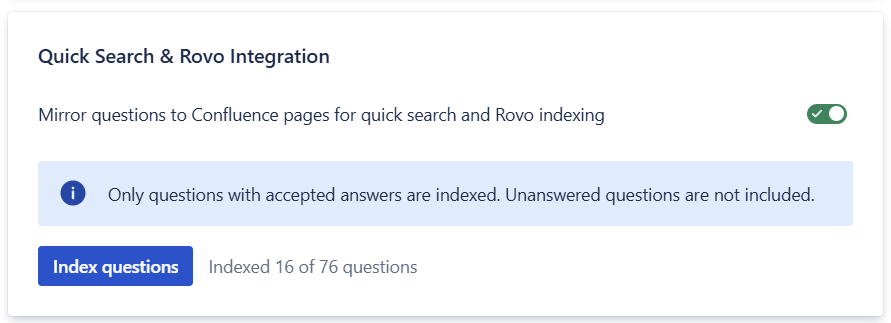
Per-Space or All Spaces
You can enable page mirroring for:
- All spaces - Questions in every space are mirrored
- Selected spaces only - Choose specific spaces to enable mirroring
Questions Index Page
When page mirroring is enabled, a "Questions Index" page is automatically created in each space. This page:
- Contains links to browse questions in the Community Questions app
- Serves as the parent for all mirrored question pages
- Should not be edited or deleted manually
Note: The Questions Index page and its child pages are managed automatically by Community Questions. Manual edits will be overwritten when questions are updated.
What Gets Mirrored
To optimize performance and keep mirrored pages lightweight, Community Questions mirrors:
- Questions with accepted answers only by default - Unanswered or unresolved questions are not mirrored, ensuring only validated knowledge appears in search results
- All questions (optional) - If you enable "Index all questions and answers," unanswered questions and all answers (including non-accepted) are mirrored
- Question title and summary - The first 500 characters of the question body
- Accepted answer summary - The first 500 characters of the accepted answer
- All answer summaries (optional) - When "Index all questions and answers" is enabled, the first 500 characters of each answer
This approach ensures Confluence search and Rovo can discover your resolved Q&A content while keeping the index pages fast and focused.
For the full experience - Mirrored pages show a summary for search discovery. To view complete questions with all answers, comments, voting, and interaction features, open the question in Community Questions.
Each mirrored page includes a link back to the full question where users can see the complete content and interact with the Q&A thread.
Backfill Existing Questions
When you enable page mirroring for a space that already has questions:
- Go to Space Settings → Content → Questions
- Click Index questions
- Wait for the process to complete
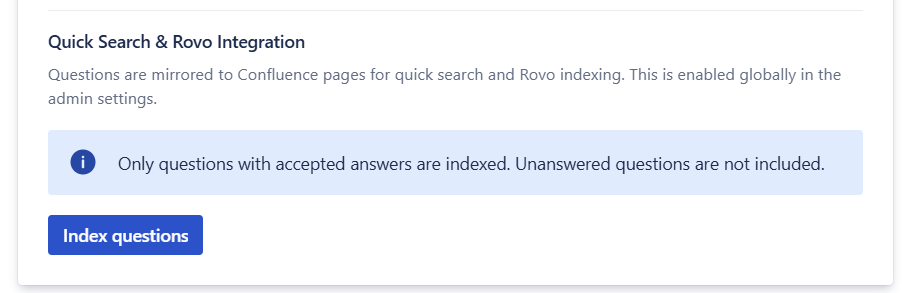
This creates mirrored pages for existing questions based on your indexing settings. If you change the indexing mode later, run Index questions again to refresh existing mirrored pages.
Automatic Sync Behavior
Mirrored pages are automatically kept in sync with your Q&A content:
- When an answer is accepted - A mirrored page is created for the question
- When the accepted answer changes - The mirrored page is updated with the new accepted answer
- When an accepted answer is removed - The mirrored page is deleted (or kept and updated if you index all questions)
- When any answer changes - The mirrored page is updated if you index all questions
- When a question is edited - The mirrored page summary is updated
This ensures search results always reflect the current state of your resolved questions.